Emergency access compared: Bitwarden, 1Password, Proton, LastPass, Google, Apple and Parcel Rocket
How each service lets someone you trust reach your accounts if you can't: who can use it, what it costs, what it covers, and which one fits your situation.
Most of the services we rely on now offer some way for a trusted person to reach our data if we cannot. They go by different names (emergency access, inactive account manager, legacy contact) and they work in very different ways. Some open your whole vault, some only your Google data; some wait for a request, others for months of silence.
This guide compares the main options side by side, so you can pick the right one, or the right combination. All details were checked against each provider’s own help pages on 20 November 2026; features change, so follow the links before you decide.
The short version
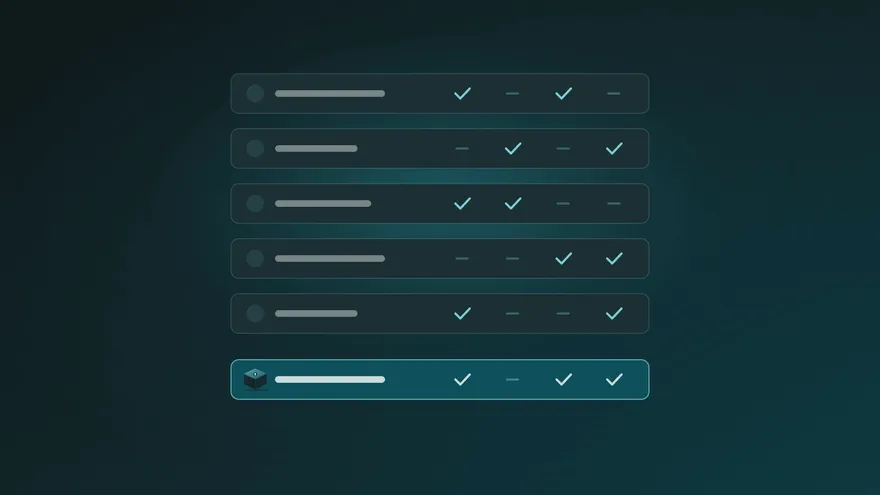
| Service | How access starts | Who can be your contact | What they get | Plan |
|---|---|---|---|---|
| Bitwarden Emergency Access | Your contact requests it; granted after a wait you set unless you reject it | Someone with a Bitwarden account (a free one is enough) | View your vault, or take over the account | Premium or a paid organisation |
| 1Password | No built-in emergency contact; you can share your Emergency Kit | Anyone you give the kit to | Full access to the account, immediately | Any plan |
| Proton Emergency Access | Your contact requests it; granted after 1 to 30 days unless you deny it | Up to 5 people with a Proton address | Access to your Proton account | Any paid Proton plan |
| LastPass Emergency Access | Your contact requests it; granted after a wait you set unless you deny it | Someone with a LastPass account | Access to your vault | See LastPass’s current plans |
| Google Inactive Account Manager | Your account is inactive for the period you chose | Up to 10 people, no Google account needed | A message from you, and a download of the data you selected | Free |
| Apple Legacy Contact | An access key plus a death certificate | Anyone you choose (no Apple account needed) | Most iCloud data, but not your passwords | Free |
| Parcel Rocket | A release date you set and can move at any time | Anyone, no account needed | Only what you put in the parcel | Free for one small parcel; Annual plan for longer dates |
Password managers
Bitwarden Emergency Access
Bitwarden’s Emergency Access lets you name trusted contacts and choose a waiting time. When a contact requests access, you get an email. You can approve it early or reject it; if you do nothing, access is granted when the wait ends.
You choose one of two levels for each contact: view, which gives read-only access to your individual vault including attachments, or takeover, which lets them set a new master password and use the account as their own.
- Good for: couples and families who all use Bitwarden and want the whole vault to be reachable.
- Keep in mind: your contact needs a Bitwarden account, and you need Premium or a paid organisation. It is all or nothing: you cannot share just three logins and a note.
1Password
1Password has no built-in emergency or legacy contact today. What it offers is the Emergency Kit, a document with your sign-in address, email, Secret Key and a space to write your account password. In a family account, a family organiser can help members who are locked out, which is account recovery rather than emergency access.
- Good for: a household where one trusted person can safely keep a printed kit.
- Keep in mind: whoever holds a completed kit has full access immediately, with no waiting period and no way for you to say no. Many people combine the kit with a separate plan for when it should be used.
Proton Emergency Access
Proton’s Emergency Access works across your Proton account. You can add up to five contacts and pick a waiting period of 1, 2, 3, 7, 14 or 30 days. You are notified of every request and can deny it; otherwise it is granted automatically when the time is up.
- Good for: people already using Proton Mail, Drive and Pass.
- Keep in mind: you and your contacts need Proton addresses, and it requires a paid Proton plan.
LastPass Emergency Access
LastPass offers a similar request-and-wait model: you choose immediate access or a waiting time, and access is granted if you do not deny the request in time. Your contact needs a LastPass account to accept the invitation.
Platform tools
Google Inactive Account Manager
Google’s Inactive Account Manager is different: nobody has to ask. If your Google account stays inactive for the period you choose, up to ten contacts receive an email you wrote in advance and, if you allowed it, a link to download the data you selected. They confirm a phone number before downloading.
- Good for: making sure your Gmail, Photos and Drive do not simply disappear. It is free, and worth setting up for anyone with a Google account.
- Keep in mind: it only covers Google data, and the trigger is inactivity, which is measured in months.
Apple Legacy Contact
With Apple’s Legacy Contact you give a trusted person an access key. To use it, they also need a death certificate. They can then reach photos, messages, notes, files and device backups. Purchased media and iCloud Keychain, which holds your passwords and passkeys, are not included.
- Good for: preserving family photos and messages stored in iCloud.
- Keep in mind: it does not help if you are unreachable for other reasons, such as a long hospital stay, and it does not pass on your passwords.
Where Parcel Rocket fits
Parcel Rocket takes a different approach. Instead of opening a whole account, you choose exactly what to pass on: some logins from the built-in password vault, a few documents, a letter of instructions. You put them in a parcel, choose the recipients, and set a release date.
- You decide when. Delivery depends only on the date you set. We remind you 7 days, 3 days and 12 hours before, and you can move the date with one click, or move every parcel at once with a private link.
- You decide what, and for whom. Each parcel has its own contents and recipients, so your partner and your business partner each get only what is meant for them.
- Your recipients need nothing. No account and no app: they open the link and answer questions only they can answer.
- It stays private. The parcel is encrypted on your device before it is uploaded, and only your recipient’s answers can open it.
It also works alongside every tool above. A common setup is a password manager for everyday use, Google’s and Apple’s tools for photos and mail, and a parcel with the handful of things that make all the rest reachable: the master password, the 1Password Emergency Kit, or a crypto wallet recovery phrase.
Parcel Rocket is designed for important documents, notes and passwords rather than large media: a parcel can be up to 1 MB on the free plan and up to 100 MB on the Annual plan.
Which one should you choose?
- Your family already shares one password manager: turn on its emergency access (Bitwarden, Proton or LastPass), or keep the 1Password kit safe.
- You mostly worry about photos and email: set up Google’s Inactive Account Manager and Apple’s Legacy Contact. Both are free.
- You want to pass on specific things, to specific people, on your terms: use a Parcel Rocket parcel, on its own or as the key that unlocks everything else.
- You hold crypto: read our guide on passing on a crypto wallet.
Whatever you choose, the most important step is the first one: deciding who should be able to help, and telling them a plan exists. Our guide to passing on your passwords to your family walks through it in five simple steps.