How to pass on your passwords to your family, without putting them in a will
If you could not sign in for your family tomorrow, could they? A simple, safe plan for passing on passwords, and why a will is the wrong place for them.
Think about the accounts your family would need if you were in hospital for a month, or simply could not be reached: the email account every other password resets through, online banking, the phone contract, the home insurance, the photos. Most of us carry all of that in our heads or in a password manager only we can open.
That is exactly right for everyday security, and exactly wrong for the day someone else has to step in. This guide shows how to fix that without weakening your security today.
Why a will is the wrong place for passwords
A will feels like the obvious place for important information, but it is a poor home for passwords:
- It can be read by others. A will is shared with executors and lawyers, and in many countries it can become part of a public record once it is processed.
- It arrives too late. It is usually read weeks after it is needed, and it does nothing if you are alive but unable to help, for example after an accident.
- It goes out of date. You change passwords far more often than anyone updates a will.
A will should say who looks after your digital life. The passwords themselves belong somewhere private that can be updated in minutes.
Why the usual shortcuts do not work either
Sharing your master password today turns one secret into two. Your accounts are now only as safe as the less careful of the two people, and you cannot take the password back if circumstances change.
A notebook in a drawer is easy to find for the wrong person, easy to lose for the right one, and almost never kept up to date.
Hoping the family can reset everything rarely works. Account recovery is designed to keep out anyone who is not you, and it does that job well, also against your family. Some providers offer formal processes for relatives, but they are slow, need documents, and often only close an account rather than give access to it.
A simple plan in five steps
1. Make a short list of what really matters
You do not need to hand over two hundred logins. Start with the ones that unlock everything else:
- your main email account (most other passwords can be reset through it);
- banking and any investment accounts;
- your phone passcode and mobile account;
- utilities, insurance and subscriptions that need to be paid or cancelled;
- photos and documents in the cloud;
- any crypto wallet recovery phrase (see our guide on passing on a crypto wallet).
2. Write a few lines of instructions
Passwords alone are not enough. Add what a stranger to your accounts would need: which bank account pays the mortgage, which subscriptions can be cancelled, who your accountant is, where the paper documents are kept. A few clear sentences save weeks of guessing.
3. Choose who should receive what
Different people may need different things. Your partner may need the bank and the email; a business partner only the company accounts. Decide this now, while it is easy to think clearly.
4. Put it somewhere private, with a way to release it
This is the step most plans miss. The information has to stay private while you are fine, and reach the right person when they need it, without you having to be there.
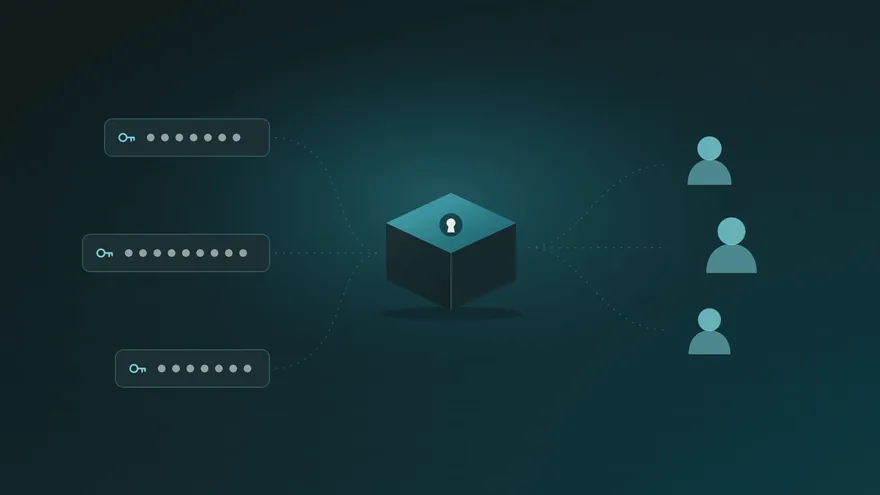
Parcel Rocket was built for exactly this. You put the passwords, notes and files into a parcel, choose who receives it, and set a release date. Your parcel is encrypted on your own device before it is uploaded, and it can only be opened with answers to questions that only your recipient knows. We remind you 7 days, 3 days and 12 hours before the date, and moving it takes one click. If the date ever arrives without you moving it, your recipients get a link and open the parcel by answering your questions. They do not need an account. You can read how it works step by step.
5. Review it twice a year
Set a reminder to check the list when you change your clocks or file your taxes. Update anything that changed, and make sure the people you named are still the right ones.
How to choose the right questions
When the questions are the key, they matter. Good questions are ones your recipient will still answer the same way in ten years, and that a stranger could not find on social media. “The name of the café where we had our first date” is better than “my birth year”. Longer, more personal answers are better than single words.
It also helps to tell your family that something has been prepared for them, even if you do not say what is inside. Parcel Rocket can let recipients know a parcel exists the moment you create it, so the eventual message is expected rather than a surprise. You can also print an access sheet with the link and a QR code and keep it with your important papers.
Common questions
Is it safe to write my passwords down anywhere? It is safe when what you write is encrypted and only the right person can open it. That is the difference between a parcel and a notebook: the content is locked on your device before it is uploaded, and even we cannot read it.
What if I change a password later? Create an updated parcel and delete the old one; it takes a few minutes. Until a parcel is delivered, you can also change its recipients and its date at any time.
Does this replace a will? No. It complements one. Your will names the people who handle your affairs; a parcel makes sure they can actually get into the accounts.
What does it cost? You can try the whole process for free with one small parcel. For a parcel that waits for months or years, you need the Annual plan, $24.99 a year.
In short
Keep passwords out of your will. Make a short list of the accounts that matter, add a few lines of instructions, decide who receives what, and put it all in one private place that can release itself to the right people. Then review it twice a year. An hour today can save your family weeks of stress later.