1Password has no emergency contact. Here's what to do instead
1Password relies on its Emergency Kit instead of an emergency contact. How to get the kit, where 1Password suggests keeping it, and how to make sure the right person gets it at the right time.
1Password is one of the most popular password managers, and many families rely on it every day. Unlike some other password managers, it does not currently have a built-in emergency or legacy contact: a way to name someone who can request access to your account if you cannot help. Users have asked for one in 1Password’s community forum for years.
So what can a 1Password user do today to make sure their family is not locked out? The answer starts with the Emergency Kit. This guide explains what it is, how to get it, and how to pass it on safely. Details were checked against 1Password’s support pages on 21 November 2026.
What the Emergency Kit is
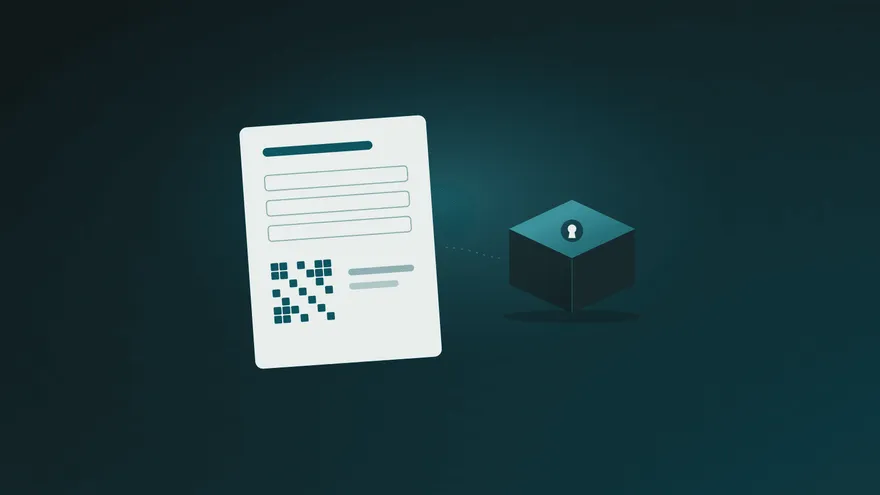
The Emergency Kit is a PDF document that contains what someone needs to sign in to your 1Password account:
- your sign-in address and email address;
- your Secret Key;
- a blank space where you can write your account password;
- a Setup Code, a QR code for signing in on a phone.
With a completed kit, a person can open your whole account. That is what makes it useful in an emergency, and also why it needs care.
How to get your Emergency Kit
1Password asks you to save the kit when you create your account, so it may already be in your Downloads folder. If not:
- Sign in to your account at 1Password.com.
- Select your name in the top right, then Manage Account.
- Select Save Emergency Kit and follow the steps.
If your account is managed by a company that turned Emergency Kits off, or you unlock 1Password with single sign-on, you will not be able to save one. In that case, talk to your administrator.
Where 1Password suggests keeping it
1Password’s own advice is to print the kit, write your account password on at least one printed copy, and keep it somewhere safe, such as with your passport or in a safe deposit box. It also suggests giving a copy to someone you trust, like a spouse or a person named in your will.
The problem: a kit opens everything, immediately
Each of those options has a trade-off:
- A copy given to someone today gives them full access today, with no waiting period and no way for you to say no. If circumstances change, you need to change your password and Secret Key.
- A printed copy in a safe or a safe deposit box is secure, but your family has to know it exists and be able to get to it. A safe deposit box can take weeks to open for relatives.
- A copy with your will usually arrives late, and it does nothing if you are alive but unreachable, for example during a long hospital stay.
What most people actually want is in between: private while they are fine, and available to the right person when it is needed.
If you use 1Password Families
In a family account, a family organizer can help a member who forgets their account password or loses their Secret Key: the organizer starts a recovery, and the member then sets a new password. Organizers do this without seeing the member’s private vaults.
You can also create shared vaults for the household accounts you both use, so everyday logins do not depend on anyone’s Emergency Kit. Our article on sharing passwords with your partner explains how to split shared and personal accounts.
Recovery helps when someone forgets their password. It is not designed to let a family member into the account of someone who cannot help, which is where the Emergency Kit comes back in.
A simple plan for your Emergency Kit
- Save the kit and write your account password on it.
- Decide who should be able to use it, for example your partner or an adult child.
- Add a short note: which accounts matter most, which bills are paid automatically, who to call.
- Put the kit and the note in one private place that can release itself.
That last step is what a Parcel Rocket parcel is for. You put the Emergency Kit and your note into a parcel, choose who receives it, and set a release date. The parcel is encrypted on your own device before it is uploaded, so it stays private, even from us. We remind you 7 days, 3 days and 12 hours before the date, and moving it takes one click. If the date ever arrives without you moving it, your recipient gets a link and opens the parcel by answering questions only they can answer.
- Update the parcel whenever you change your account password or your Secret Key.
- Tell the person that a plan exists. Our guide on how to talk to your family about your digital plan helps with that conversation.
In short
1Password does not offer an emergency contact today, but its Emergency Kit contains everything needed to reach your account. Save it, complete it, and keep it somewhere that stays private while you are fine and reaches the right person when it is needed. To see how other password managers handle this, read our emergency access comparison.